How to use jini — from screening to post-verdict verification
Last updated: 2026-08-29
jini is built to answer three questions: "Is this a good company? Is this a good price? What is the market expecting, and is that expectation realistic?" It does not give buy recommendations — it gives decision material with every assumption exposed. This article walks a first-time visitor through the four features in order.
The flow at a glance
- Screener (home page) — surfaces undervalued candidates from the whole market
- Stock page — verify a candidate (or any ticker you're curious about) top to bottom
- Portfolio — compare the stocks you judged worth owning and size positions
- Tracking — verify, against the market, whether those verdicts turned out right
There are two entry points. If your question is "where in the market is the value?", start from the screener (push). If it's "is this specific stock undervalued?", search for it and start from the stock page (pull).
Step 1 — Screener: finding candidates
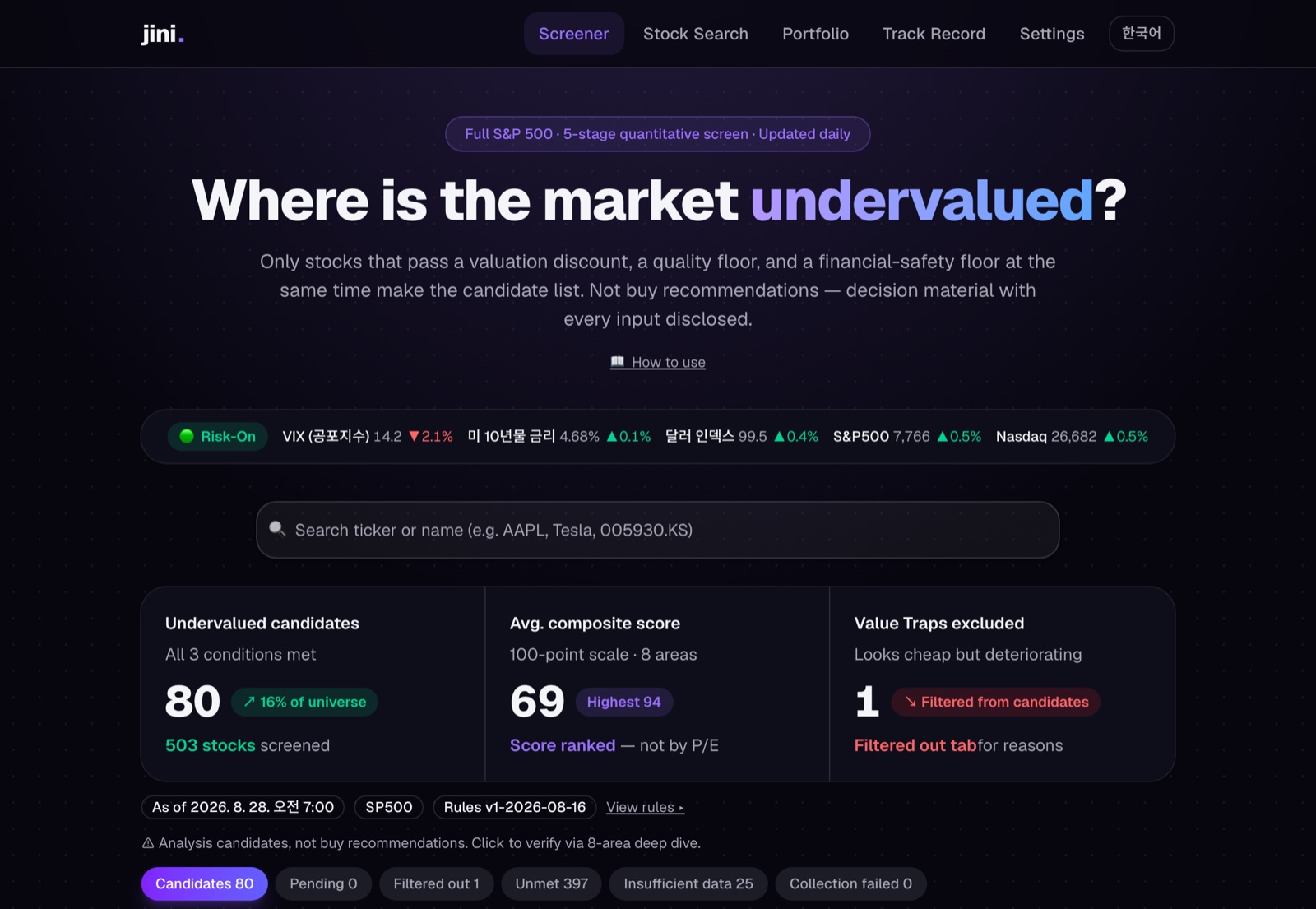 The actual home screen — candidate summary and tabs (Candidates / Verifying / Excluded / Not qualified)
The home page shows screening results refreshed daily. A stock in the Candidates tab has passed three simultaneous conditions: discount (price), quality (business), and financial safety. Note that this is not a low-P/E sort — cheap stocks are often cheap for a reason, so quality and safety are checked together.
One common misunderstanding: a candidate means "worth analyzing", not "buy this". Clicking through to the stock page is the intended next step. Tab-by-tab details (verifying / excluded / not qualified) are covered in the screener guide.
Step 2 — Stock page: verification
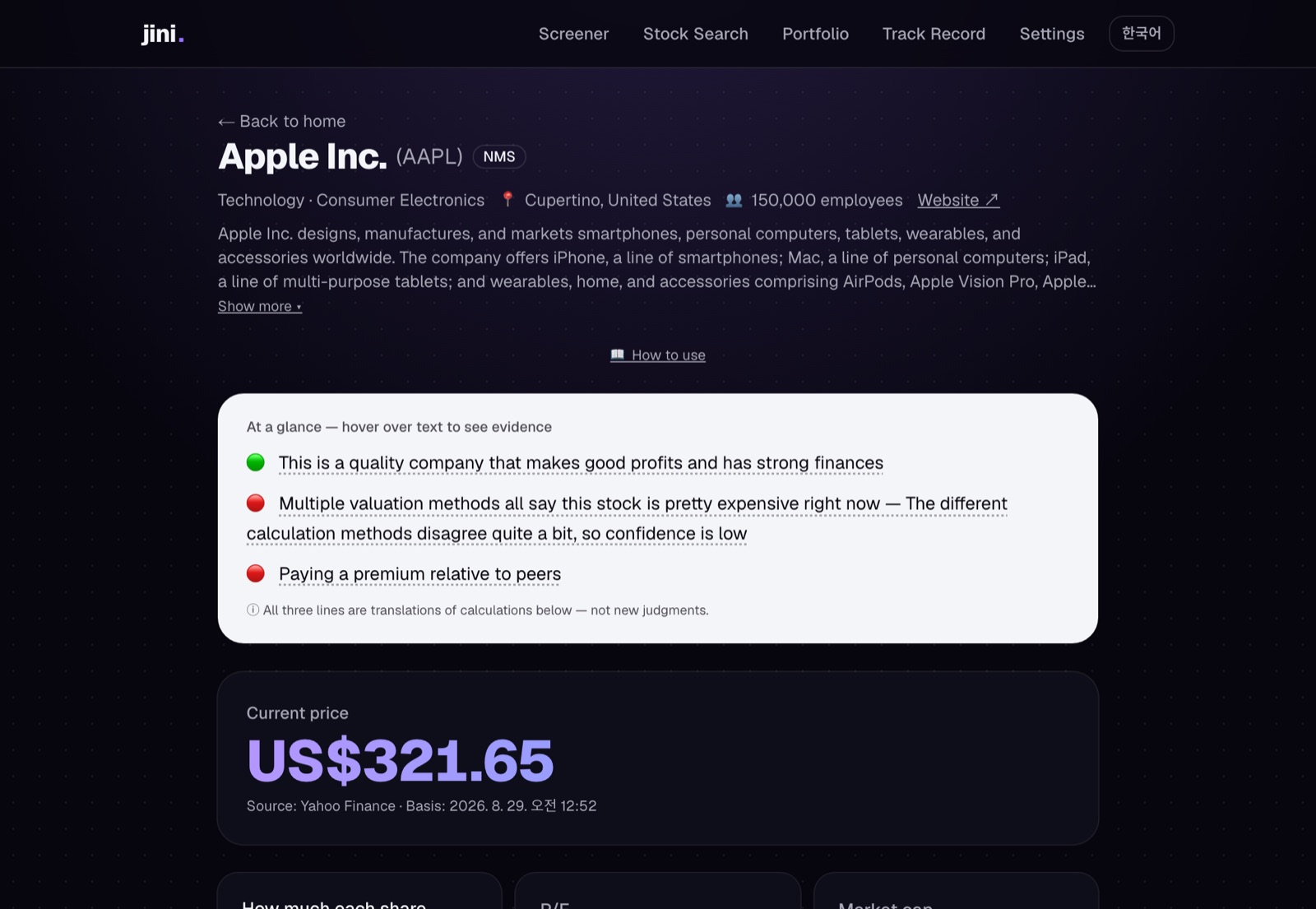 Top of a stock page — the 3-line summary and current price
The stock page is designed to be read top to bottom.
- At-a-glance (3-line summary): quality, price, and confidence as traffic lights (🟢🟡🔴). It is a "translation" of everything computed below — not a separate verdict.
- Financial analysis · composite score: 8 areas from growth to risk. A score is not a verdict — even a 100 is no reason to buy if the price is wrong.
- Market expectations (implied growth): reverse-engineers the growth rate the current price demands and compares it with forecasts.
- Fair value + final verdict: 4 valuation methods × 3 scenarios produce a fair-value range, a 5-level verdict, and a confidence level. Every assumption opens with ▸.
How to read and combine these numbers is covered in detail in Turning the numbers into a strategy.
Step 3 — Portfolio: position sizing
Add stocks that passed your verification with the ★ on the stock page (up to 20). The portfolio page compares their verdicts, scores, and expected returns in one table, and computes an allocation suggestion from fully disclosed rules once you enter an amount. See the portfolio guide.
Step 4 — Tracking: post-verdict verification
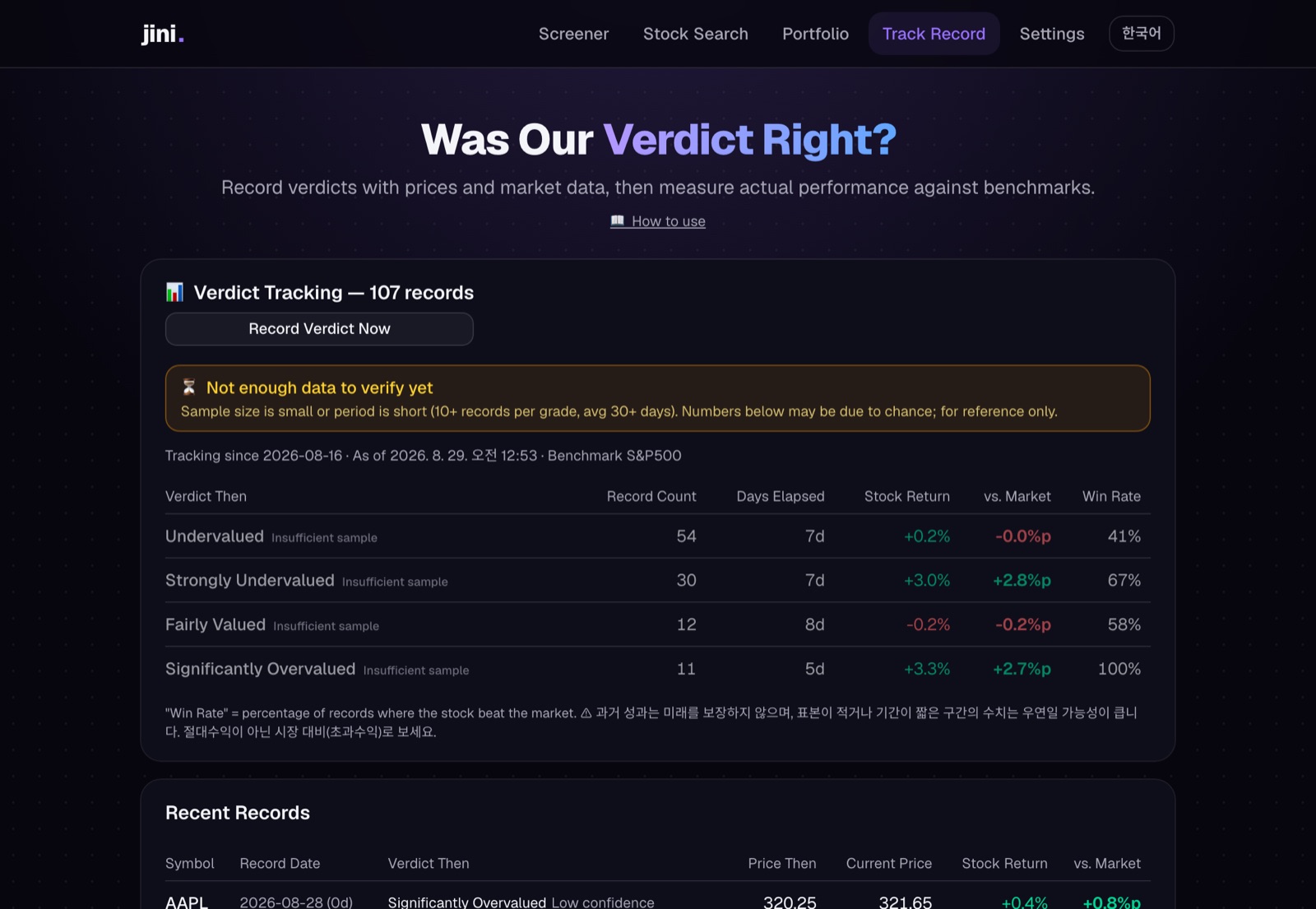 Tracking page — per-verdict aggregates and the small-sample warning
This is jini's most distinctive part. Every verdict is recorded with that day's price and the S&P 500, and subsequent performance is aggregated as excess return versus the market. Right calls and wrong calls both stay on the record. How to read it: tracking guide.
What this app never does
- Never calls a stock undervalued on low P/E alone
- Never gives a single price target — always a range + assumptions + confidence
- The AI never produces numbers — code computes, AI only interprets
- Never fabricates missing data — it honestly shows "insufficient data"
- Never recommends buying or selling — the decision and the responsibility are always yours